Turn a list of places into a day that actually fits.
Days. Ordered stops. Real routes and travel times between them. A map.

Already have an itinerary? Paste it and get the same thing.
Planning the days
Real travel times between every stop, and a first draft when you are starting from nothing.
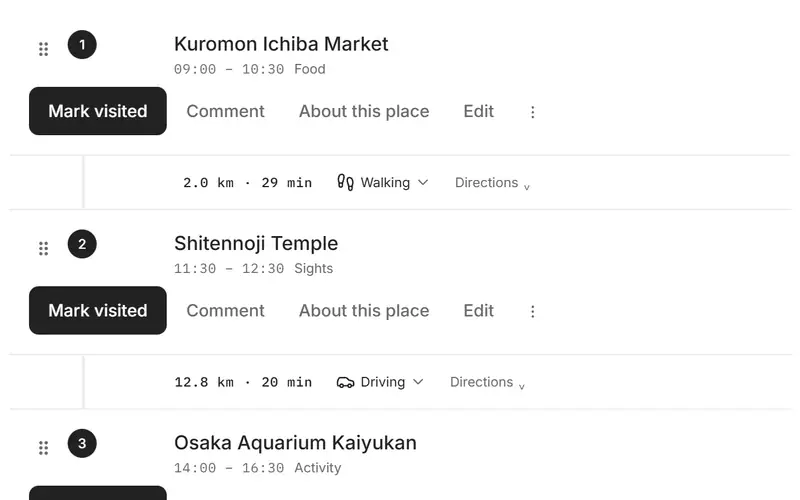
Real travel times, a mode for each leg
Every leg between two stops is routed for its distance and time, and each one can walk, drive or cycle on its own. When the gap you left is shorter than the journey, the day says so.
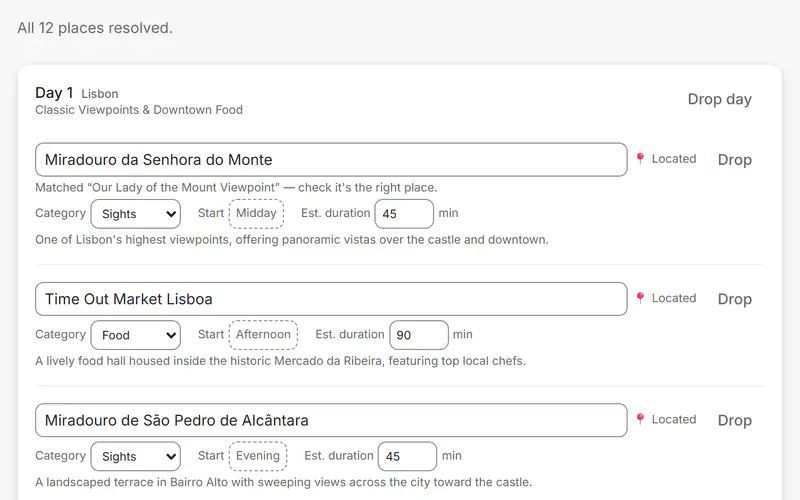
An itinerary from one sentence
Describe the trip and get days of suggested stops — or paste a plan you already wrote and have it read into days. Either way every place is checked against a real map, and nothing becomes a trip until you confirm it.
Everything around the itinerary
Bookings, money, weather and lists live in the same trip as the days they belong to.
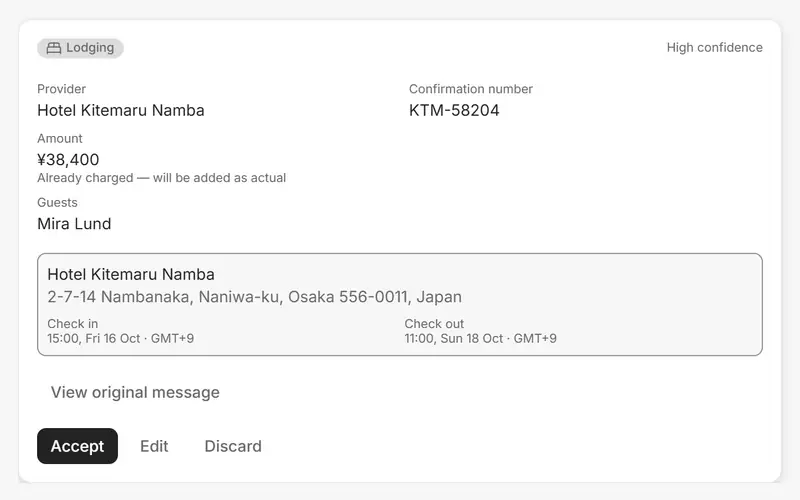
Booking confirmations become reservations
Forward a confirmation to the trip's own address, or paste it in. It is read into a reservation you review, and once you accept it, it sits on the day it belongs to. Forwarding needs an account.
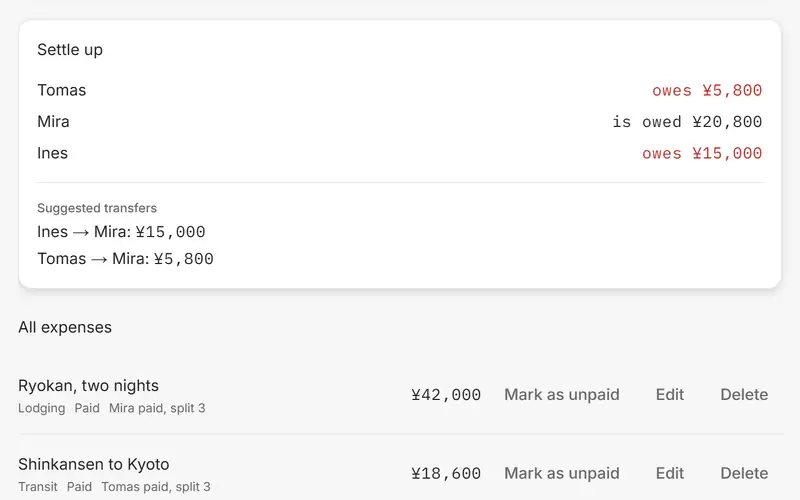
Expenses split, then settled
Log who paid and who it is shared with, split equally. Settle up works out who owes whom and the transfers that square it.
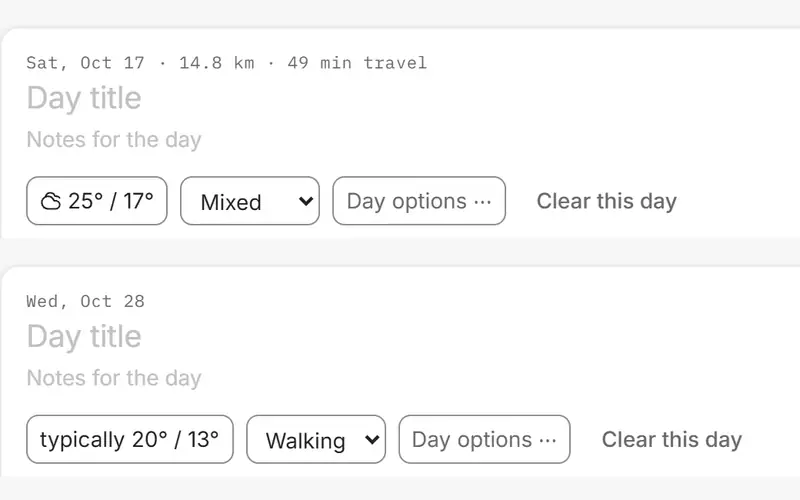
Weather for every day
A forecast for the next sixteen days. Further out, the ten-year average for that place and date — labelled as typical, never passed off as a forecast.
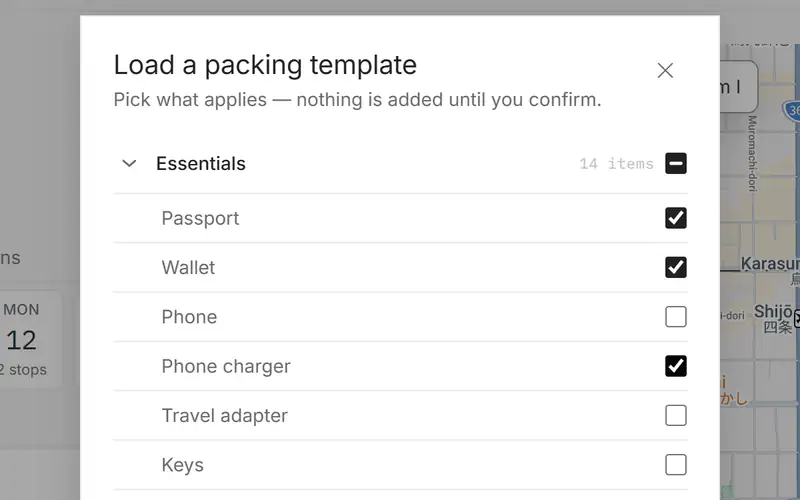
Checklists from templates
Packing and before-you-go lists start from ready-made templates. Tick what applies; nothing is added until you confirm.
Take it with you, pass it on
A plan you can open on the road, and one other people can start from.
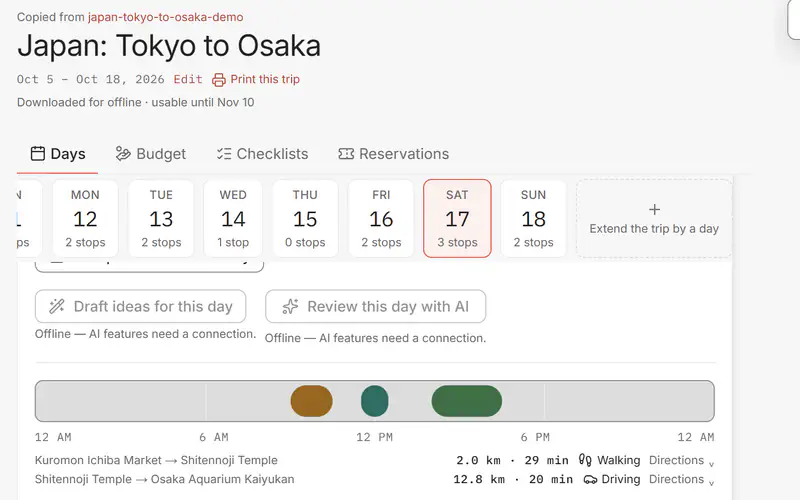
Download it, keep using it offline
Download a trip and its days, stops and routes still open with no connection. The map and the AI features need a signal.
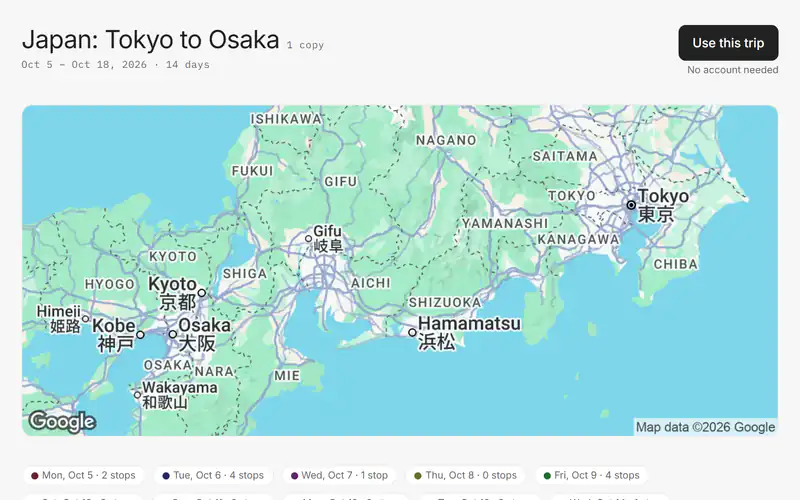
Publish it, see how many copied it
A published trip gets its own public page that anyone can copy into their own planner, no account needed. The count on it is copies, not likes. Publishing needs an account.